Are you ever stuck with too many windows open in PyCharm? Thank god there’s a simple fix for that.
I am definitely one that does not like when I have too many tabs opened that are not really related to what I’m working on at the moment. It makes it a lot harder to keep track of the relevant files, and in general makes it hard to get a quick overview of what I’m doing.
Therefore, whether I’m using PyCharm or VSCode, I like to set up the limit for the amount of tabs that can be opened at once.
Prerequisites
- PyCharm installed
Steps to set VSCode max for opened tabs
- Open Settings using
CTRL + ,on Windows or⌘ + ,on Mac - Search for
Tab limit - Open
Editor -> General -> Editor Tabs - At this point, set the
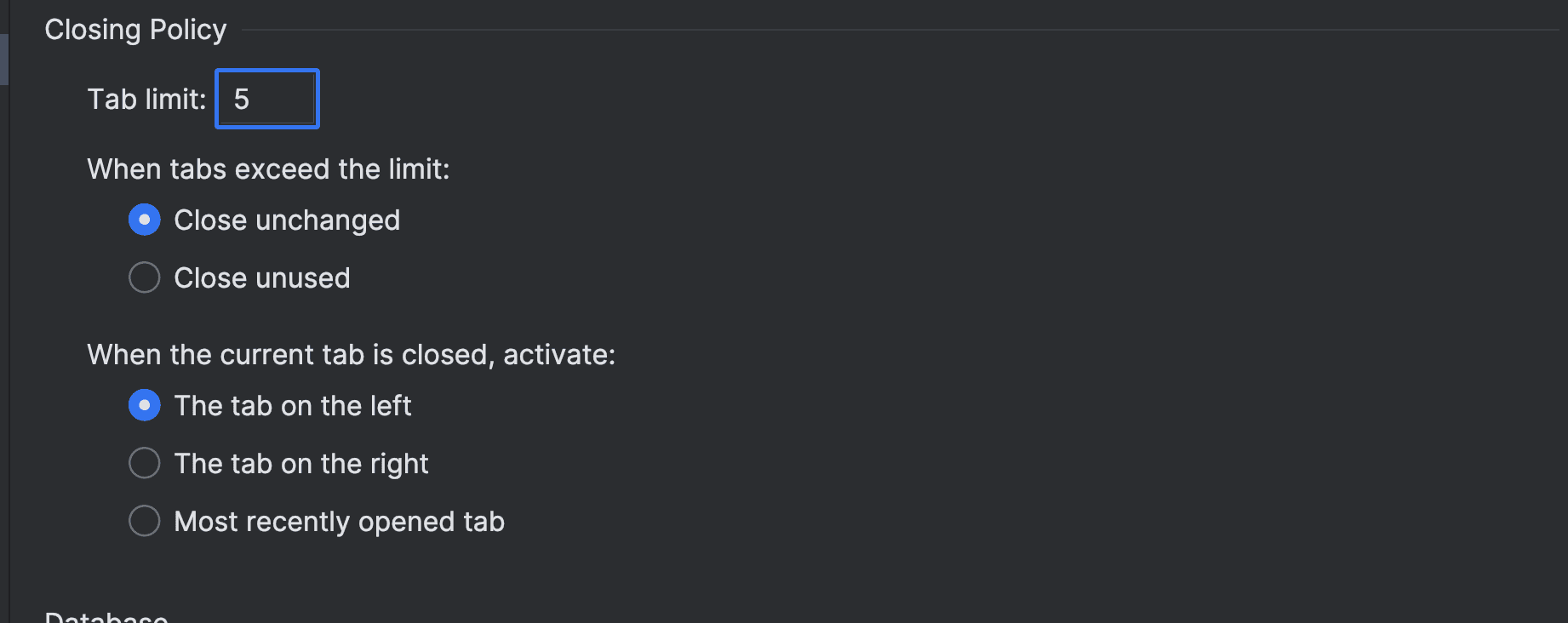
Tab Limitto the amount of tabs that you want open. I prefer to have it on 5 on a 14-inch Macbook Pro, since otherwise it clutters the window. - Set the
When tabs exceed the limitto whichever option you want.
And from now on, remember to use the ⌘ + Shift + O to quickly open new tabs.
Your settings should look something like this: